
pletzenauer — digital consulting

Claude Code: The 12 Best Features

Blog · Claude Code · Hands-on ranking

The 12 Best Claude Code Features

Nate Herk has spent 500+ hours inside the Claude ecosystem and ranked every feature from D- to S-tier. I’ve translated his top 12 and added a consultant’s view — for everyone who uses Claude Code not for programming, but for knowledge work and automation.

Source: “I Tested Every Claude Code Feature, These 12 Are the Best” — Nate Herk | AI Automation · Translated & contextualised by Martin Pletzenauer.

The ranking

From #12 to #1

Not ranked by what’s most popular — but by what actually changes the day-to-day in knowledge work and automation. Spots 1 to 4 are marked in orange.

12Goal/goal

Give Claude a goal with a clear “definition of done” — it works, with built-in verification, until the criterion is met. No 24-hour run needed: one precise brief, then let it run while you do something else.

11Ultra Plan

Offloads the planning of large, still-fuzzy tasks to the cloud. Multiple planning agents work in parallel; pull the finished plan back into the terminal or continue it on the web — and keep working locally in the meantime.

10Insights/insights

Generates an HTML report on your Claude Code usage over the last 30 days: what’s working, what’s slowing you down, which features and skills to lean on more. An honest mirror of how you actually work.

9Auto Memory

Claude improves its own memory between sessions — without being asked. At set intervals it reviews what happened and gets smarter over time. Switch it on once, then it runs in the background.

8Agent Teams

Multiple personas — e.g. a beginner, a CEO, a skeptic — debate in rounds until they reach consensus. Great for pressure-testing an idea from several angles. Still experimental; enable it in your settings.

7Rewind/rewind

Rolls code and conversation back to an earlier checkpoint. Cleaner than fixing a mistake after the fact — you pick the exact point in the conversation to continue from.

6Sub-Agents

Background agents that work in parallel and report only to the main session (unlike Agent Teams, they don’t talk to each other). Definable as Markdown files — with their own tools and skills.

5Loop/loop

Repeats a prompt at fixed intervals via a local cron, bound to the session. Also triggerable in natural language, and auto-stops after seven days.

4Remote Control

Drive your local Claude Code session from your phone or the web — fully in sync. Perfect for keeping a session going while you’re on the move.

3Routines

Schedule a real agent — local or in the cloud — not a deterministic script. Scheduled like any normal task you’d give Claude, and easy to manage in the desktop app.

2Status Line

Model, effort level and context usage always in view — one of the most underrated features, and a good reason to switch from the editor to the terminal. Complemented by /context and /usage.

1Skills

Reusable Markdown “recipes” for consistent, repeatable workflows. Built yourself or borrowed from others, shareable across your team and chainable together — by far the biggest lever day to day.

To go

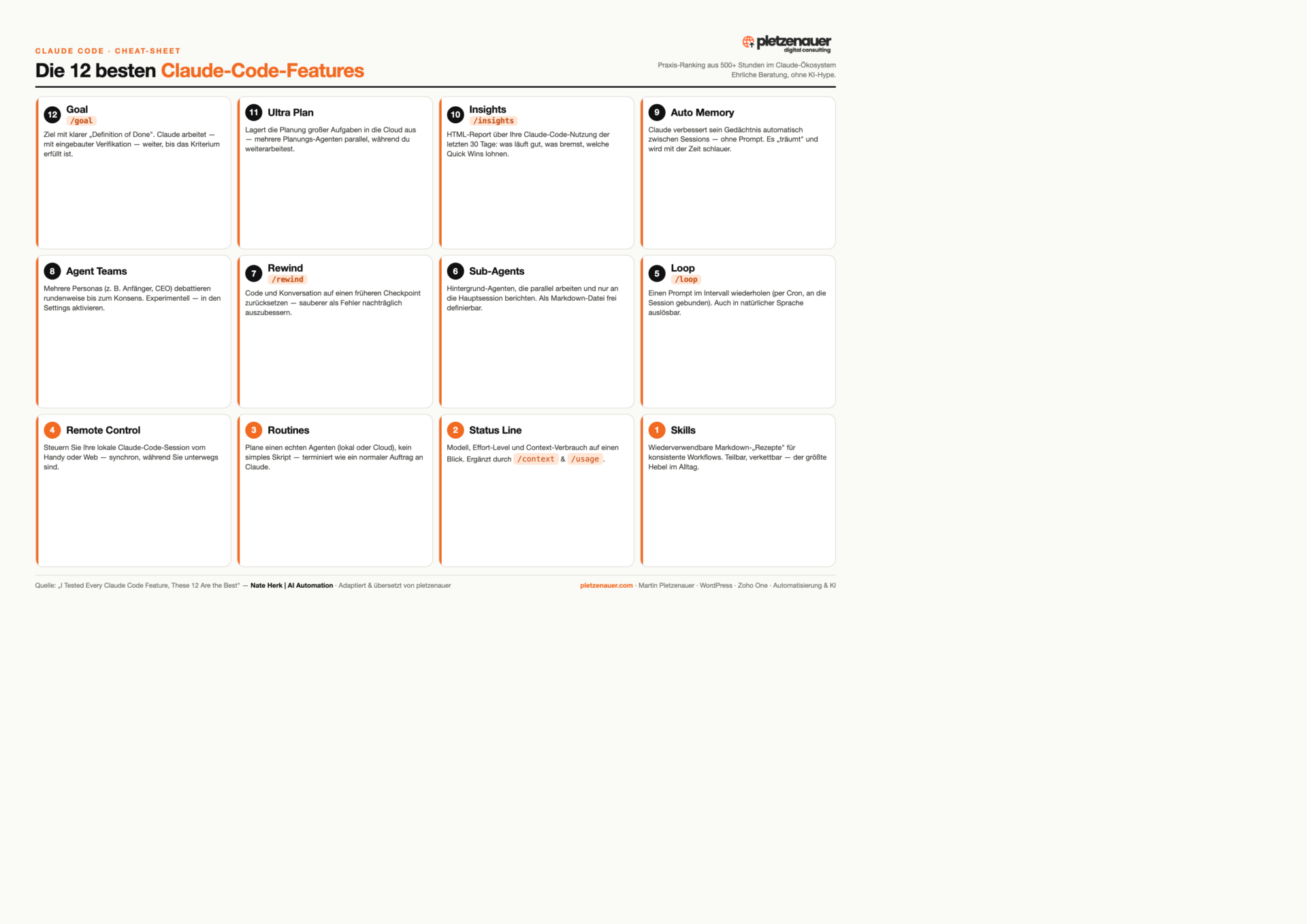
All 12 features on one page.

The full ranking as a compact cheat-sheet — ideal to print or keep next to your terminal.

Download the cheat-sheet (PDF) ↓
Infographic: The 12 best Claude Code features

Context

How to get the most out of it as a knowledge worker

Nate uses Claude Code not mainly for programming, but as an “operating system” for his daily work. That’s exactly where the leverage is for consulting, SMEs and the self-employed:

01

Turn the recurring into Skills

Capture every workflow you need often as a Skill once — after that it runs consistently instead of being re-prompted each time.

02

Automate with Routines & Loops

Scheduled agents and interval prompts handle routine work around Zoho, Google Workspace or your website — without you sitting next to it.

03

Stay in control

Status Line, /goal with a clear definition of done and /rewind make sure you always know what’s running — no flying blind.

This article summarises the feature ranking from the video “I Tested Every Claude Code Feature, These 12 Are the Best” by Nate Herk | AI Automation — translated into English and contextualised from a consultant’s perspective. Feature names and slash commands are kept in the original; order and rating reflect his personal practice.

Let’s talk

30 minutes, no obligation.

Want to bring Claude Code, automation or AI sensibly into your daily work? Tell me briefly what you’re working on — I’ll tell you honestly whether and how I can help. Without the AI hype.

Book a call →Contact form