pletzenauer — digital consulting

Claude Code: the 12 best features

Blog · Claude Code · field ranking

The 12 best Claude Code features

Nate Herk has spent more than 500 hours in the Claude ecosystem and sorted every feature from D-tier to S-tier. I have taken his top 12 and placed them in a consulting context, for everyone who uses Claude Code not for programming, but for knowledge work and automation.

Source: “I Tested Every Claude Code Feature, These 12 Are the Best”. Nate Herk | AI Automation · Summarized & placed in context by Martin Pletzenauer.

The ranking

From number 12 to number 1

Not sorted by what is most popular, but by what genuinely changes the working day in knowledge work and automation. Numbers 1 to 4 are marked in orange.

12Goal/goal

Set a goal with a clear definition of done. Claude works with built-in verification until the criterion is met. No 24-hour run needed: one precise brief is enough, then it runs while you get on with something else.

11Ultra Plan

Offloads the planning of large, still-unclear tasks to the cloud. Several planning agents work in parallel; you pull the finished plan back into the terminal or carry on with it directly on the web, and keep working locally undisturbed.

10Insights/insights

Produces an HTML report on your Claude Code use over the past 30 days: what is going well, what is slowing you down, which features and skills you should lean on more. An honest mirror of how you actually work.

9Auto Memory

Claude improves its own memory between sessions, without being asked. At fixed intervals it goes back over what happened and gets smarter over time. Switch it on once, then it runs in the background.

8Agent Teams

Several personas (a beginner, a CEO, a skeptic) debate in rounds until they reach a consensus. Ideal for testing an idea from several angles. Still experimental, and switched on in the settings.

7Rewind/rewind

Rolls code and conversation back to an earlier checkpoint. Cleaner than correcting a mistake after the fact, you pick exactly the point in the conversation where things should carry on properly.

6Sub-Agents

Background agents that work in parallel and report only to the main session (unlike agent teams, they do not talk to each other). Definable as a Markdown file, with their own tools and skills.

5Loop/loop

Repeats a prompt at fixed intervals via a local cron job, tied to the session it belongs to. Can also be triggered in plain language, and stops automatically after seven days.

4Remote Control

Drive your local Claude Code session from your phone or from the web, fully in sync. Perfect for carrying on a running session while you are out and about.

3Routines

Schedule a real agent, locally or in the cloud, rather than a deterministic script. Scheduled like any ordinary brief to Claude, and manageable at a glance in the desktop app.

2Status Line

Model, effort level and context usage always in view, one of the most underrated features, and a good reason to move from the editor to the terminal. Complemented by /context and /usage.

1Skills

Reusable Markdown “recipes” for consistent, repeatable workflows. Built yourself or adopted from others, shareable across the team and chainable together, by far the biggest lever in daily work.

Takeaway

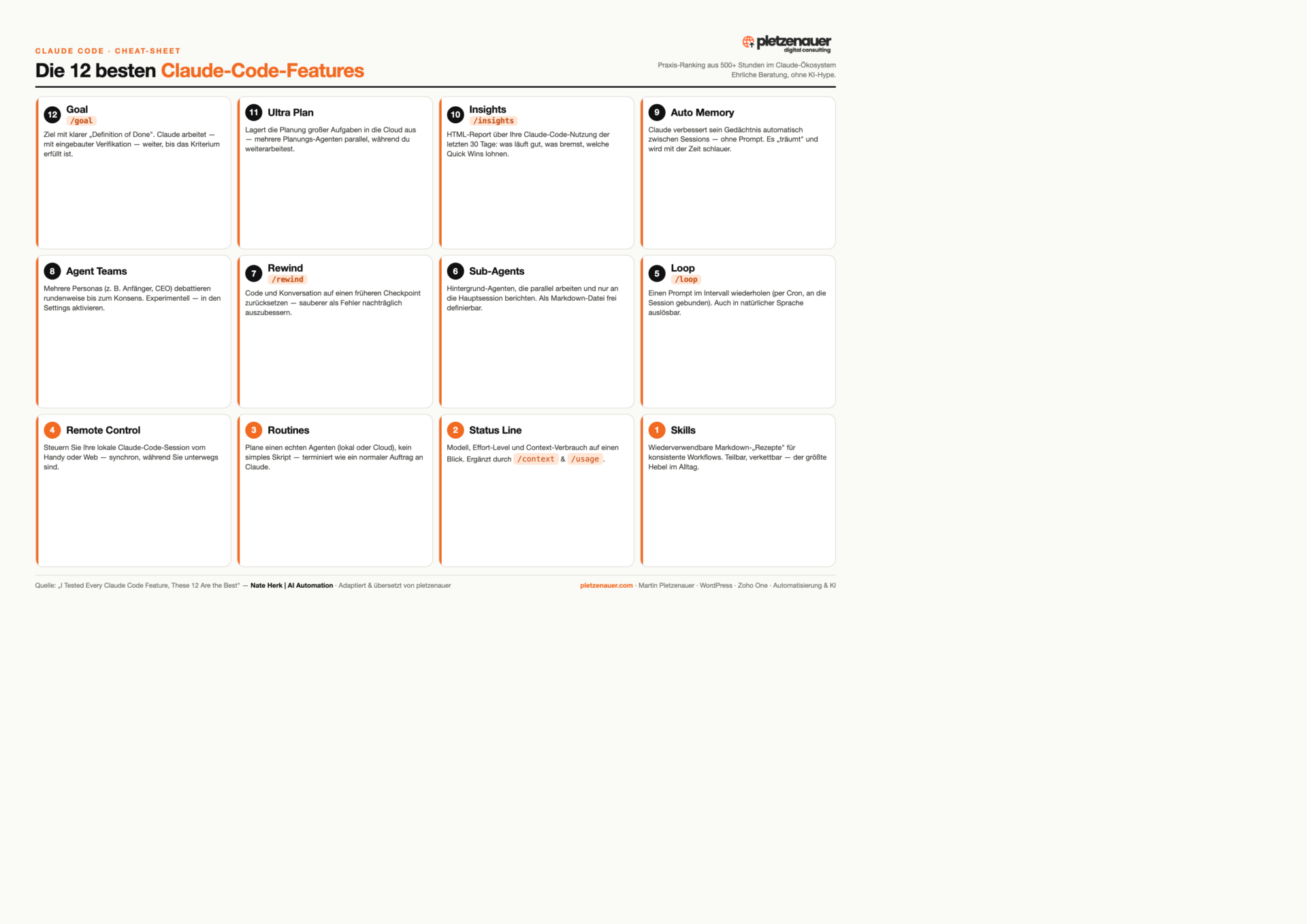
All 12 features on one page.

The complete ranking as a compact cheat sheet, ideal for printing, or for keeping next to the terminal.

Download the cheat sheet as a PDF ↓

Infographic: the 12 best Claude Code features

In context

How to get the most out of it as a knowledge worker

Nate uses Claude Code not primarily for programming, but as an “operating system” for his daily work. That is exactly where the leverage sits for consultancies, mid-sized businesses and the self-employed:

01

Turn recurring work into skills

Capture any process you need more than once as a skill, after that it runs consistently, instead of being reformulated every time.

02

Automate with routines & loops

Scheduled agents and interval prompts handle routine tasks around Zoho, Google Workspace or your website, without you sitting there watching.

03

Stay in control

The status line, /goal with a clear definition of done, and /rewind make sure you always know what is running, no flying blind.

This post summarizes the feature ranking from the video „I Tested Every Claude Code Feature, These 12 Are the Best“ by Nate Herk | AI Automation and places it in a consulting context. Feature names and slash commands are left as they are; the order and the ratings reflect his personal experience.

Let’s talk

30 minutes, no obligation.

Want to bring Claude Code, automation or AI into your working day in a way that makes sense? Tell me briefly what you are working on. I will tell you honestly whether and how I can help. Without the AI hype.

Book a call →Contact form

Frequently asked questions

What is Claude Code?

Claude Code is Anthropic's command-line tool: Claude reads, writes and runs code directly in your development environment – in the terminal instead of the browser.

Which features are worth it to start?

A few are enough at first: Plan mode for a clean approach, sub-agents for parallel work and Skills for recurring tasks. The rest follows as projects grow.

Do I need programming skills?

Basic skills help but aren't required. If you're comfortable with the terminal and Git, you'll be productive quickly. For pure text tasks, Claude Desktop is the simpler choice.

Is Claude Code included in the subscription?

Yes, Claude Code is part of the Pro, Max and Team plans and is billed through your subscription. We'll clarify which plan fits your team in a first call.

ViewMinimalClassicDark