

Critical PHP vulnerabilities: why you should update your website today
Two critical PHP flaws (CVSS 9.2) allow attacks without logging in. Which versions are safe and what to do right now.
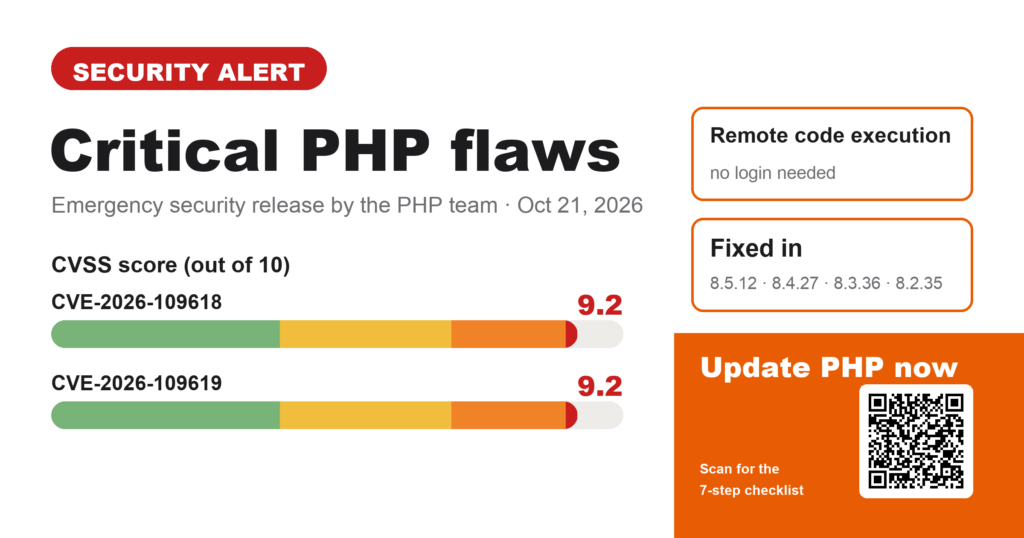
On October 21, 2026, the PHP team released emergency updates for two critical security flaws. Practically every website running on PHP is affected, including every WordPress site. Here’s what happened and what you should do today.
What happened?
On October 21, 2026, the PHP security team shipped unscheduled updates fixing two flaws, CVE-2026-109618 and CVE-2026-109619. Both are rated 9.2 out of 10 (CVSS 4.0), which means critical.
Both allow remote code execution: an attacker can send a crafted request and run their own code on your server, with no login required.
- CVE-2026-109618 is about memory handling. If PHP runs out of memory mid-request, partly initialized data can later be treated as valid.
- CVE-2026-109619 is about state that outlives a request. Data from one request can still be used by the next request on the same worker after it was freed.
According to the PHP team, every PHP installation that serves web requests is at risk: PHP-FPM, Apache with mod_php, php-cgi, FrankenPHP and LiteSpeed. The risk is highest with Apache and mod_php, where a working exploit has been demonstrated that triggers before any of your site’s code runs.
Am I affected?
If your site runs on WordPress, WooCommerce, Shopware, TYPO3, Joomla or any other PHP system: yes, unless your server has already been updated.
These versions (or newer) are safe:
| PHP branch | Safe version |
|---|---|
| 8.5 | 8.5.12 |
| 8.4 | 8.4.27 |
| 8.3 | 8.3.36 |
| 8.2 | 8.2.35 |
| 8.1 and older | no official updates anymore |
For PHP 7.4, 8.0 and 8.1 there are only minimal patches for people who compile PHP themselves. For a regular website, that means if you’re still on one of these, now is the time to move to a current version.
What to do now
- Check your PHP version. In WordPress under Tools → Site Health → Info → Server, in your hosting dashboard, or with
php -von the server. - Compare it with the table above. If your version is lower, your site is vulnerable.
- Update, or ask your host. On shared hosting, the provider usually applies the update. Ask them today whether it’s done. On your own server, update the packages from your distribution’s repositories.
- Restart PHP. Restart PHP-FPM or Apache after updating, otherwise the old code keeps running.
- Retire old PHP versions. If you’re on PHP 8.1 or older, plan the move to 8.3 or 8.4 now. Check plugin and theme compatibility first and take a backup.
- Test your site afterwards. Click through the homepage, forms, login and, if you have one, the shop checkout.
- Look for warning signs. Unknown admin accounts, new files in the uploads folder or odd entries in the server logs. When in doubt, have it checked.
Not sure where to find your PHP version? This short video shows you the way:
If you can’t update right away
The PHP team lists stopgap measures but is clear that they reduce risk without making an installation safe. Updating is the only complete fix.
- Set
session.upload_progress.enabled = 0inphp.inior the FPM pool config and restart all PHP workers. - Limit request size:
post_max_size = 8M(no file uploads) or32M(with uploads), withupload_max_filesizebelow it. - On PHP 8.5, also set
fatal_error_backtraces = 0. - More measures, such as the memory limit settings, are in the official advisory. Only someone who knows the server should change these.
My advice
Don’t wait. Once details of a critical flaw are public, automated attacks usually follow quickly, and bots don’t care how big your website is. Check your PHP version today, get confirmation from your host, and plan the upgrade if you’re on an old version.
If you’re not sure whether your site is affected, or you’d rather not do the update yourself, get in touch. I’ll check your setup and apply the update properly, with a backup first and a test afterwards.
Book a call · WhatsApp/Signal 0043 664 8740825
Source: official security advisory on php.net, October 21, 2026. Last updated: October 21, 2026.
Newsletter
Hands-on notes by email.
New articles and lessons from projects with Claude, WordPress and Zoho. No spam, unsubscribe any time.
Almost done.
Please confirm with the link in the email that is on its way.
Let's talk
Does that sound like your situation?
Tell me briefly what you're working on. I'll tell you whether and how I can help. The call is free of charge.